Log the 3 a.m. feed without unlocking your phone.
Tap Left or Right on the lock screen and CradleFree times that side. Tap the other side to switch, and End when the feed is over. The screen stays dark and the phone stays quiet.
 Coming soon to the App StoreFor iPhone. Free for 14 days, no card.
Tuesday, November 10
Feeding the right side
9:07
This is the card on your lock screen. Try the buttons.
How it fits your day
-
Start from the lock screen
No Face ID and no app to open. Left, Right and End are on the card above, in Control Center, and in Siri: “Switch sides in CradleFree.”
-
See the last feed at a glance
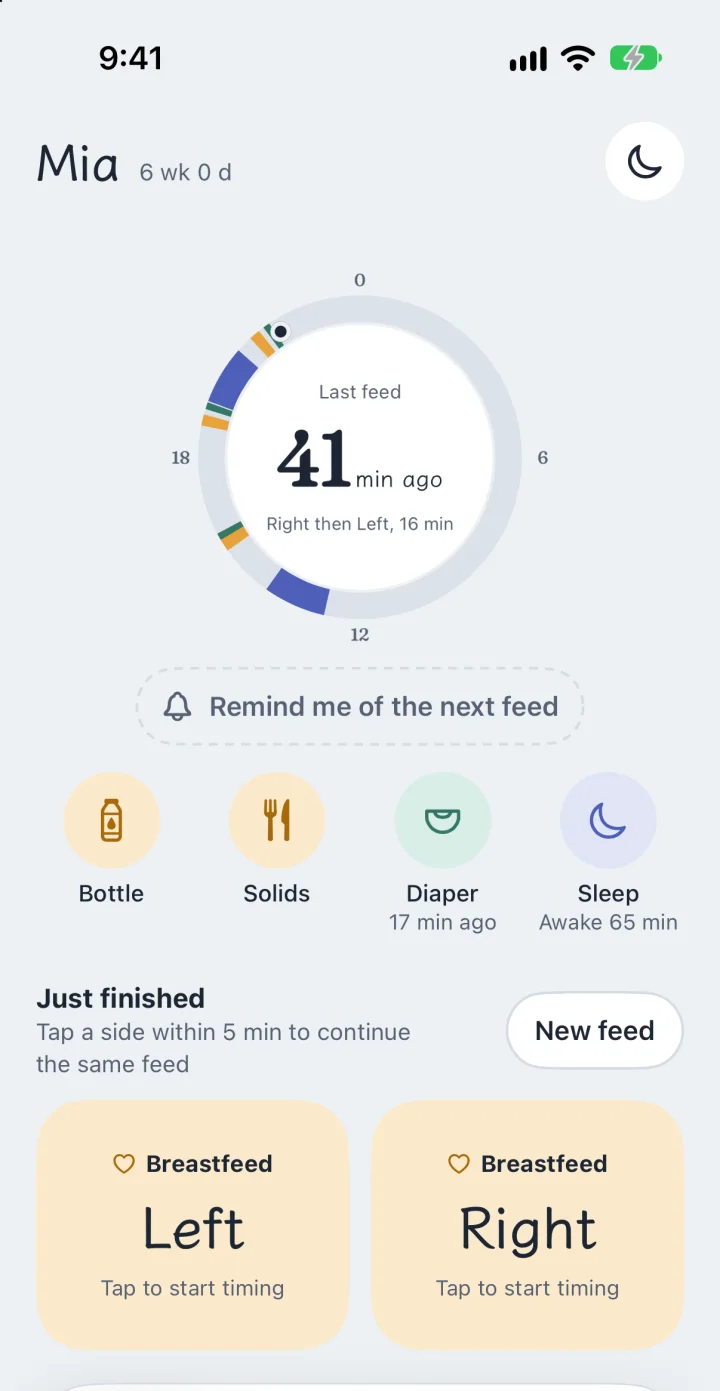
The Log tab shows how long ago the last feed was and which sides it used, on a dial of the whole day. Bottles, solids, diapers and sleep are one tap each.
-
Hand over without a briefing
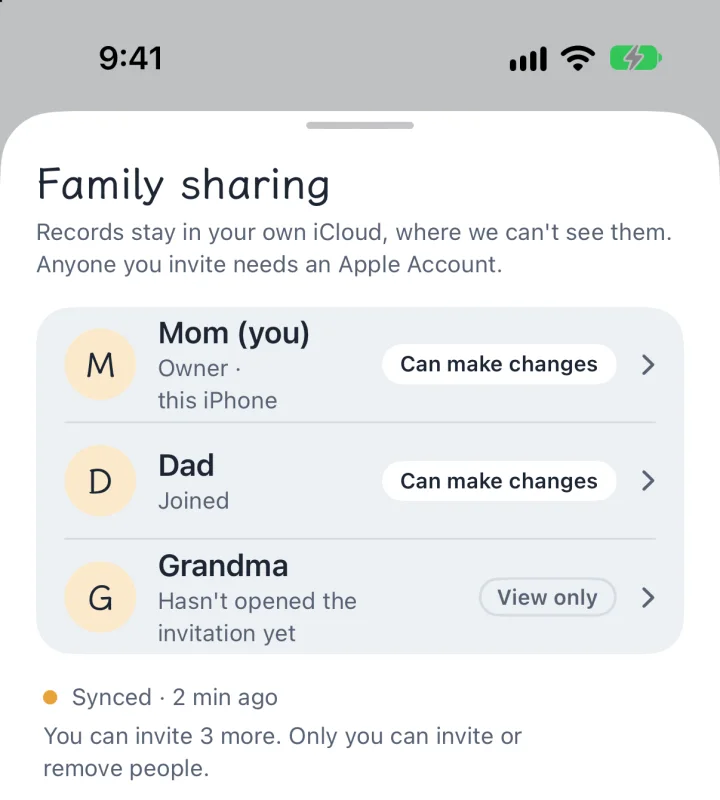
Share with up to six caregivers through your own iCloud. Grandma opens the app and sees the whole morning, and nobody makes an account.
-
Look back at the week
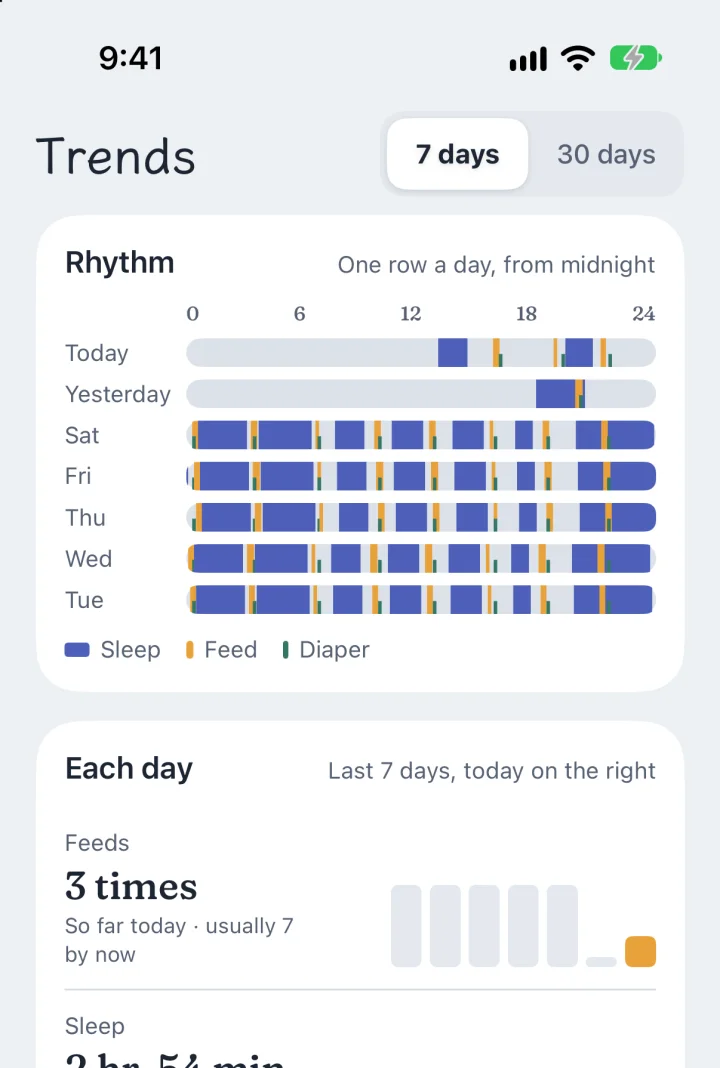
The timeline keeps every record, and Trends lays out feeds, sleep and diapers day by day. The app does the counting.
What it leaves out
- No soundsNo chimes and no buzzing. The only thing that rings is the next-feed alarm, and only if you turn it on.
- No glare at nightFrom evening to morning the app turns pure black and amber, so a glance doesn't wake anyone.
- No account, no adsNothing to sign up for, and nothing trying to sell you something between feeds.
- No data collectedRecords stay on your iPhone and, when you share, in your family's own iCloud. We can't see them.
Pay once. No subscription.
The first 14 days include everything, with no card. After that, keep the free version or buy the Family Pass.
Free, forever
Logging and the essentials
- Log feeds, bottles, pumping, solids, diapers and sleep by hand
- Today's numbers and the last 7 days of the timeline
- Sick-day tracking with medicine reminders
- Export everything as CSV or JSON
Family Pass
$19.99 once, for the whole family
- Lock-screen buttons, Control Center, widgets and Siri
- Family sync for up to six caregivers
- All history and trends
- Growth curves and the visit PDF
- Everything added later
Who makes it
CradleFree is made by one parent. It started as an app for his wife's night feeds, and she is still its first user.
Questions or ideas go to a real person: support@cradlefree.com